Rollout progress
After you publish a release, the question is always the same: is it running everywhere yet? The releases table now answers it at a glance. A release in flight shows live progress — how many deployments have picked it up out of how many. A finished release shows how long the rollout took.
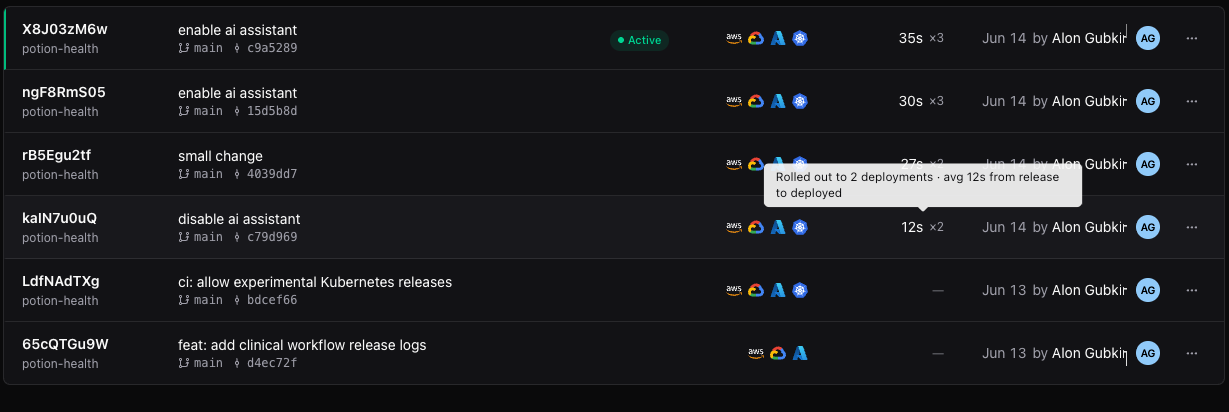
The number next to each release is the average time from publishing the release to it running in a deployment, with the count of deployments it reached. Each deployment's timeline also shows its own number — "Release updated · 4m 32s after release" — so a straggler stands out immediately.
Failed rollouts got the same attention. A deployment that failed mid-rollout no longer needs special-case surgery: fix the problem, release again, and it converges through the same desired-state reconciliation as everything else. Auto-updating and pinned deployments both find their way back on their own.
- Live progress — see a release land deployment by deployment
- Time to deploy — per-release average and per-deployment timing
- Recovery is just another release — failed rollouts converge, no manual repair path